Rollups
Reading back across a link, an aggregate of the rows that point in.
A row cannot hold a link back to every row that points at it, so the back direction is read with a rollup. A rollup follows an inbound link and folds one column of the linking table.
vialink columnrequiredfieldcolumnaggcount | sum | avg | min | max | latestdefault countReturnsa value the aggregate across the rows that link in, or their count.
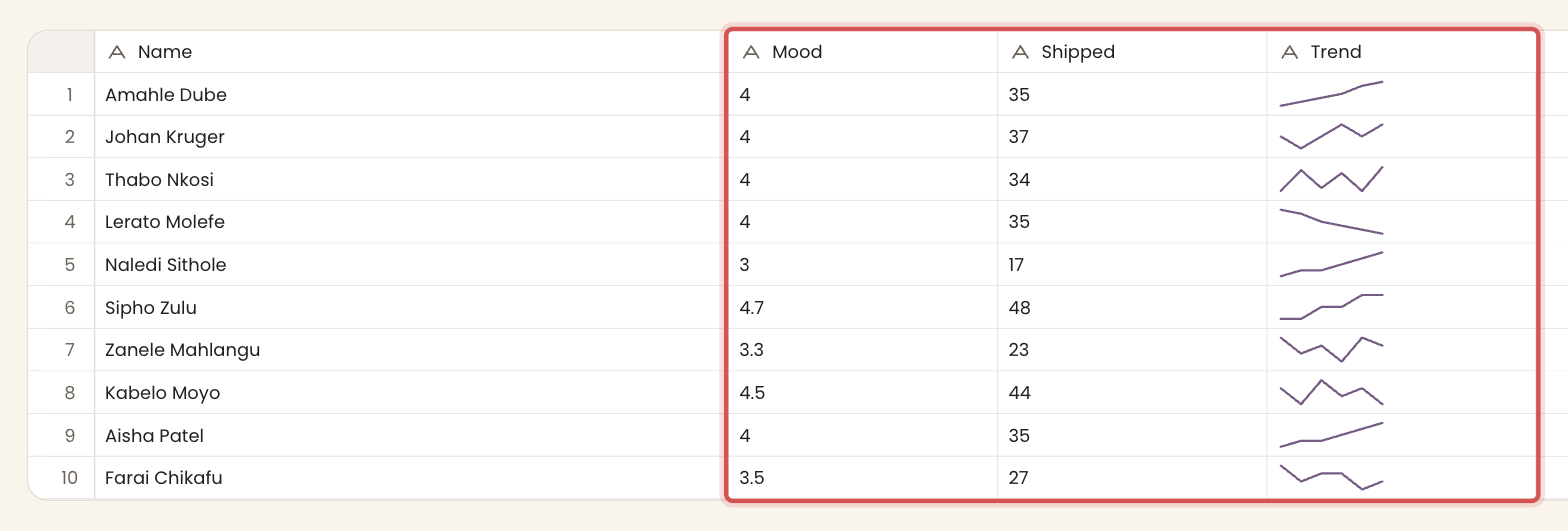
The Team table's Mood, Shipped, Trend and Impact columns read back across the Weekly check-ins table through the Engineer link.
What you can roll up
The aggregation decides which columns work. count counts the rows that link in and needs no column. sum, avg, min and max need a number column, either A number or A rating column, or a computed column that yields numbers, and non-numbers are skipped. latest takes the value from the last row that links in and works on a column of any type.
| No column | Number column | Any column | |
|---|---|---|---|
| count | |||
| sum | |||
| avg | |||
| min | |||
| max | |||
| latest |
A rollup is computed. It is worked out from the linked rows on every read, so you cannot type into a rollup cell. For the number aggregations, blanks and non-numbers are skipped rather than counted as zero, so an average covers only the rows that hold a number.
Reading further than a rollup
A rollup folds a linked table into one number. To read a linked table as a series (for a chart, or a filtered aggregate per row), use a formula with a cross-table reference and WHERE ... IS SELF. Formulas are how a Team row draws a sparkline of its own weekly numbers.