Links
A single, forward-only pointer from one row to a row in another table.
A link column points a row at a row in another table. It is how a workspace becomes connected rather than a pile of separate sheets, and it is what a rollup and a cross-table formula read across. See the link field for its settings.
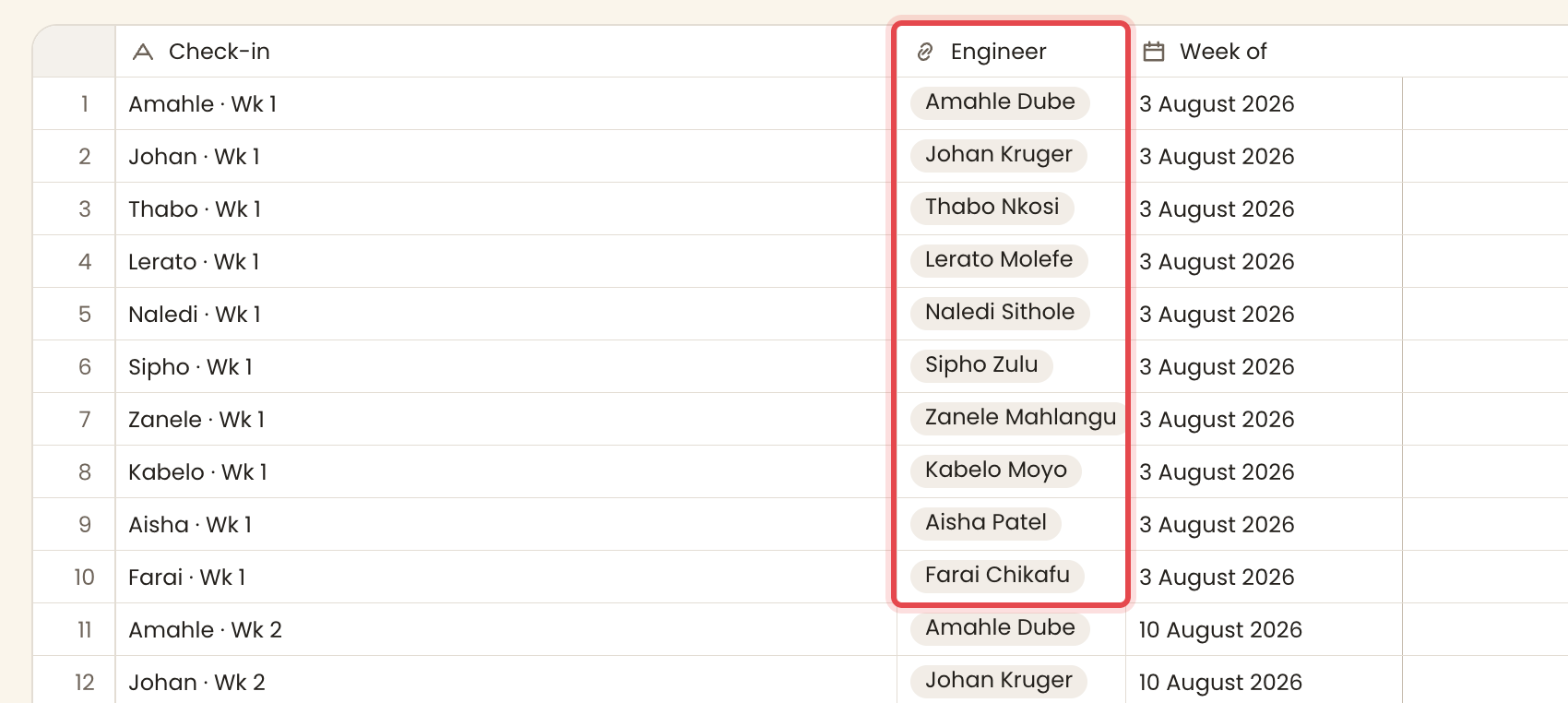
When to add a link
Add a link whenever a row belongs to, or refers to, a row of another type. The two tables stay separate, and the link joins them.
- A weekly check-in names the engineer it is about.
- A task names its owner, or the job it sits under.
- An order names the customer who placed it.
- A snag names the inspection that raised it.
Use a link, not a choice, when the other thing is its own row with its own columns. A choice stores a label. A link stores a row, so you can read that row's other fields back through a rollup or a formula.
Setting a link
Open a link cell and pick the row to point at. The picker lists the rows of the target table by their name, the anchor. A cell holds one row.
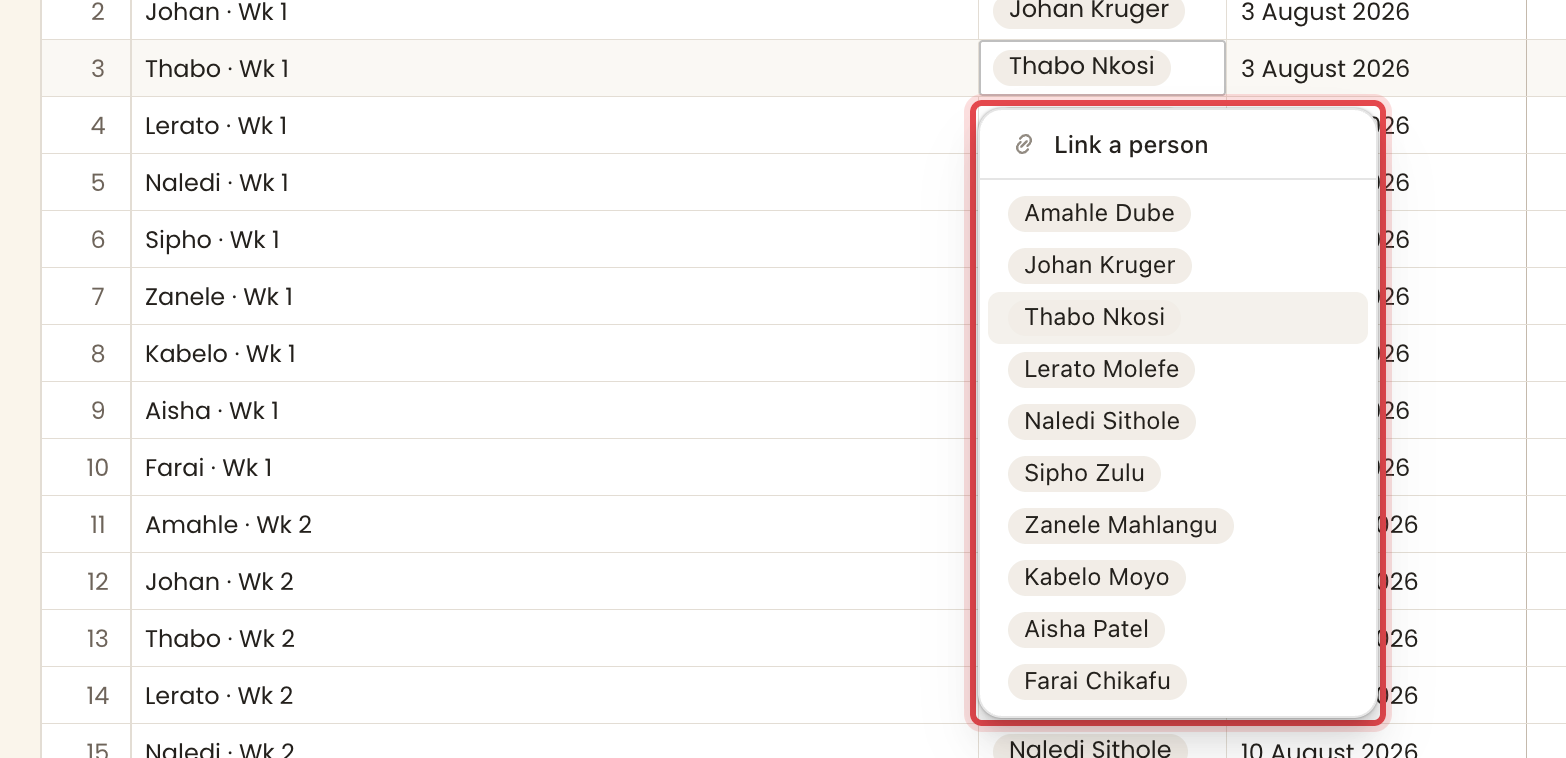
Single-valued and forward-only
A link is single-valued. One cell points at exactly one row, never a set of rows. That is the shape you want, not a restriction. To model a many side, put the link on that side. Each weekly check-in is its own row about one engineer, so one engineer gathers many check-ins over time. Those separate rows are what let a Team row roll up each person's weekly numbers and chart their trend.
A link is also forward-only. It lives on the table that holds it and points at the other. It adds no matching column on the table it points at. The Team table gets no automatic list of the check-ins that name each person. That back direction is read, not stored, which the next section covers.
The back direction
A row cannot hold a link back to every row that points at it. A check-in points at its engineer, but the engineer's row holds no list of check-ins. To read that back direction, follow the inbound link with a rollup, which is next.