Fields
Every column type, its settings, what it stores, how it sorts and groups, and its limits.
A field is a column. Its type decides what a cell may hold, how it is written, how it reads back, and whether you can sort, group or filter by it. The headings below use the names the add menu shows. The set of types is deliberately small. There is one text type with three lengths rather than three types, so every chart, filter, form and export has fewer things to understand.
Some types are computed. They are worked out from other columns rather than typed into, like a rollup or a formula. Others sit outside the add menu because they have no in-cell editor yet, like a file, or because they are computed. A workspace drafted from a sentence when you first sign up can still hold any of them.
Choosing a type
TexttextA choiceoptionMore than one choiceoption[]A numbernumberA ratingnumberYes or nobooleanA datedateA personpersonA link to another tablerowSteps you namelevelA filefile[]A rollupcomputedA formulacomputedWritten types
Text
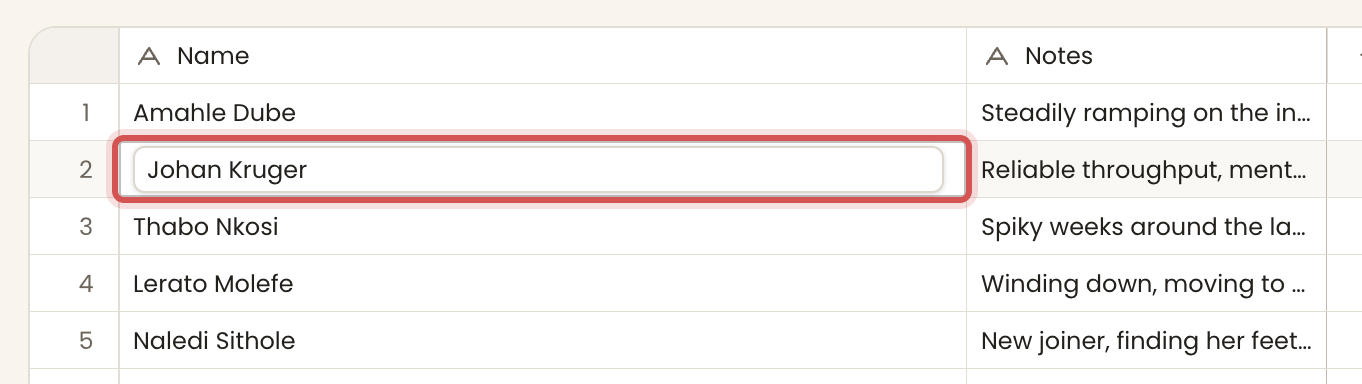
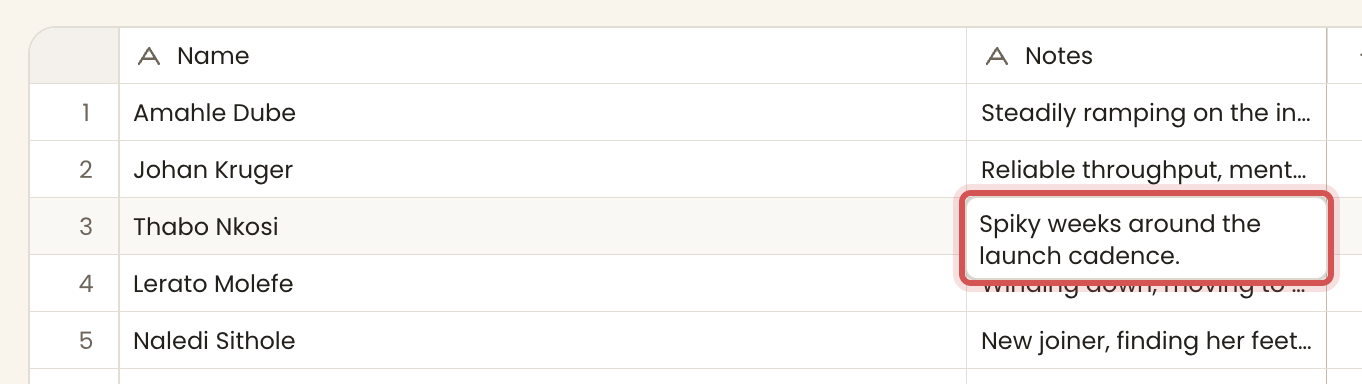
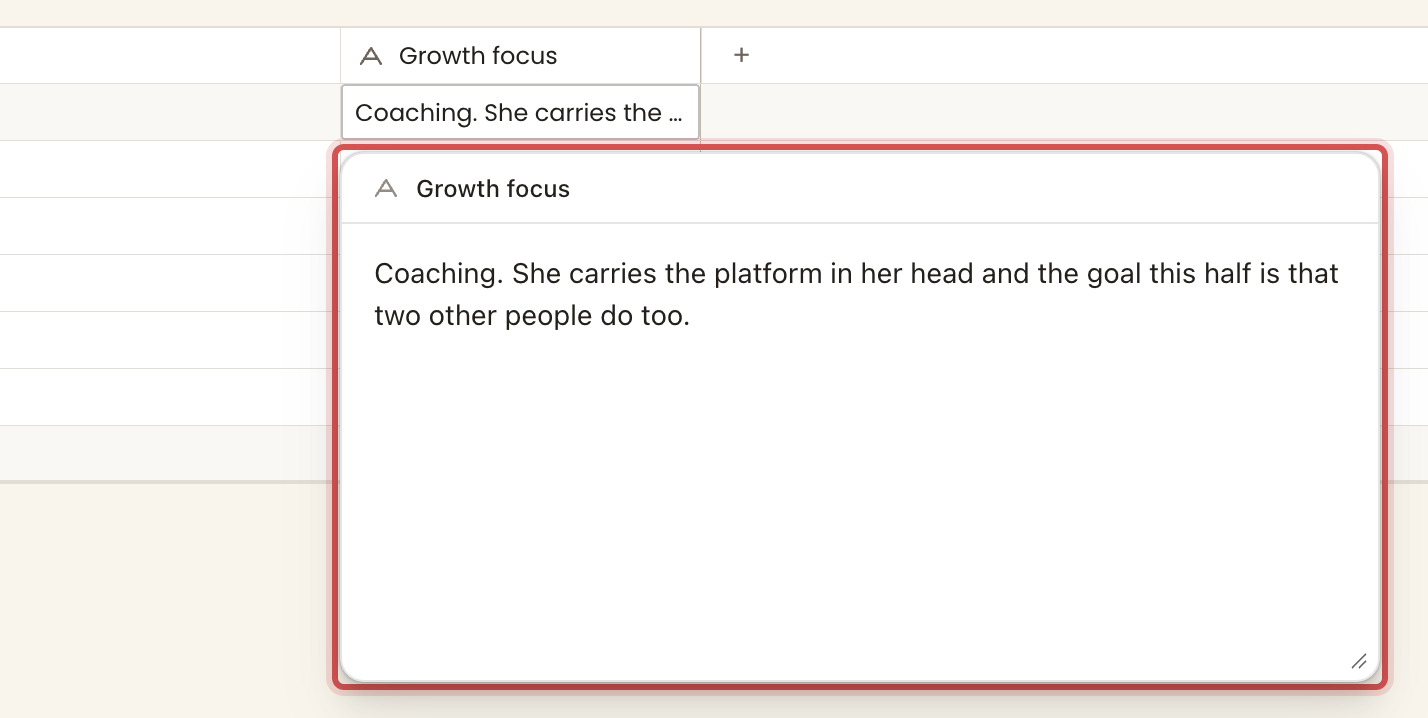
stores: a stringThe plain text type. One type with three lengths, set by its Length setting, Short text, Medium text or Long text. Short is a single line, medium is a few wrapped lines edited in place, and long opens in a sheet. It is the type the anchor column uses.
lengthshort | medium | longdefault shortFilter operatorscontainsdoes not containisis emptyis not empty
Anything written is kept as text.
A choice
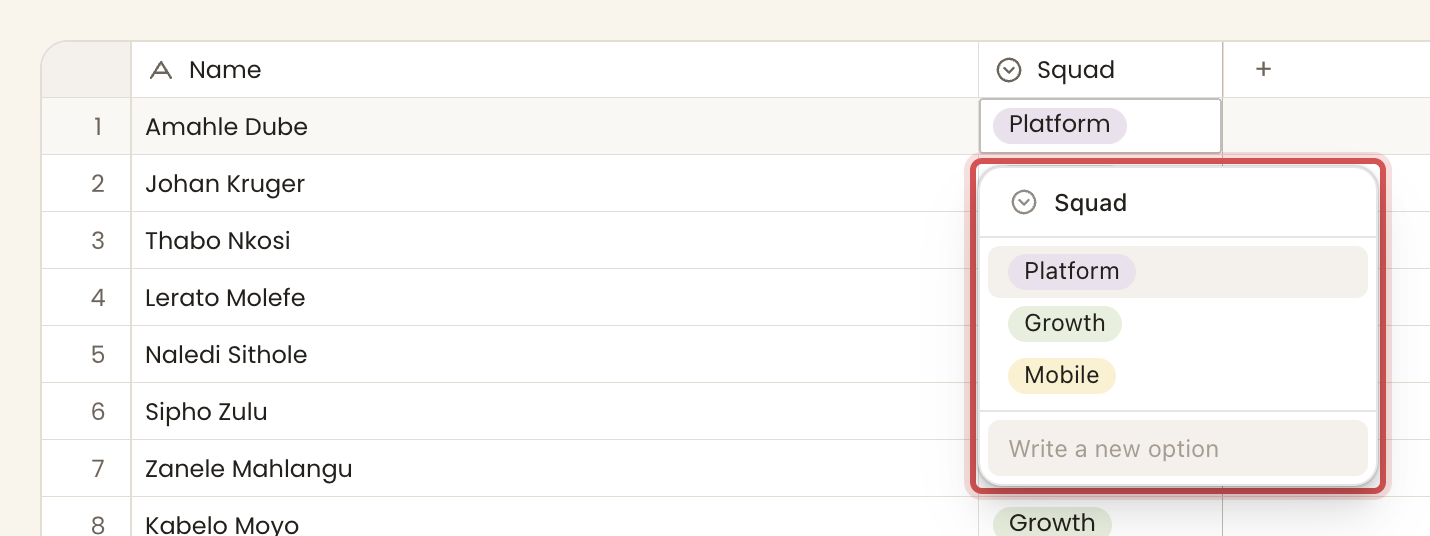
stores: an option idOne option from a named, coloured set. The cell stores the option's id, not its label, so renaming an option keeps every row pointing at it. It sorts by the option's own menu order, so a choice sorts the way its menu reads.
Filter operatorsisis notis any ofis emptyis not empty
When you write a value, a real option id passes straight through. A label is matched case-insensitively. A label that matches no option, or more than one, is refused with the list of allowed options.
More than one choice
stores: an array of option idsThe choice type with the one-option limit lifted. A cell holds several option ids.
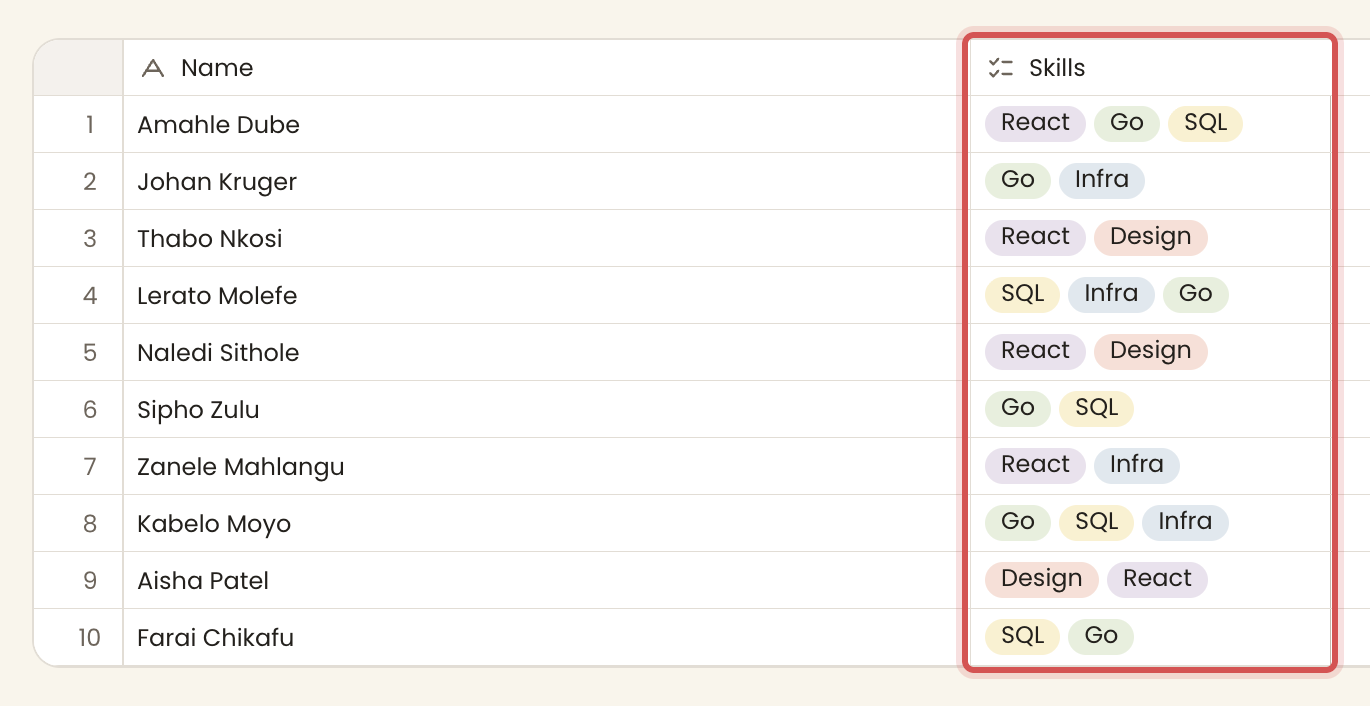
Filter operatorshasdoes not havehas any ofhas all ofis empty
Writing an array resolves each element. If any element is not a real option, the whole write is refused.
A number
stores: a numberA count, a score, a duration. Only a finite number is accepted. Anything else is refused with "that is not a number".
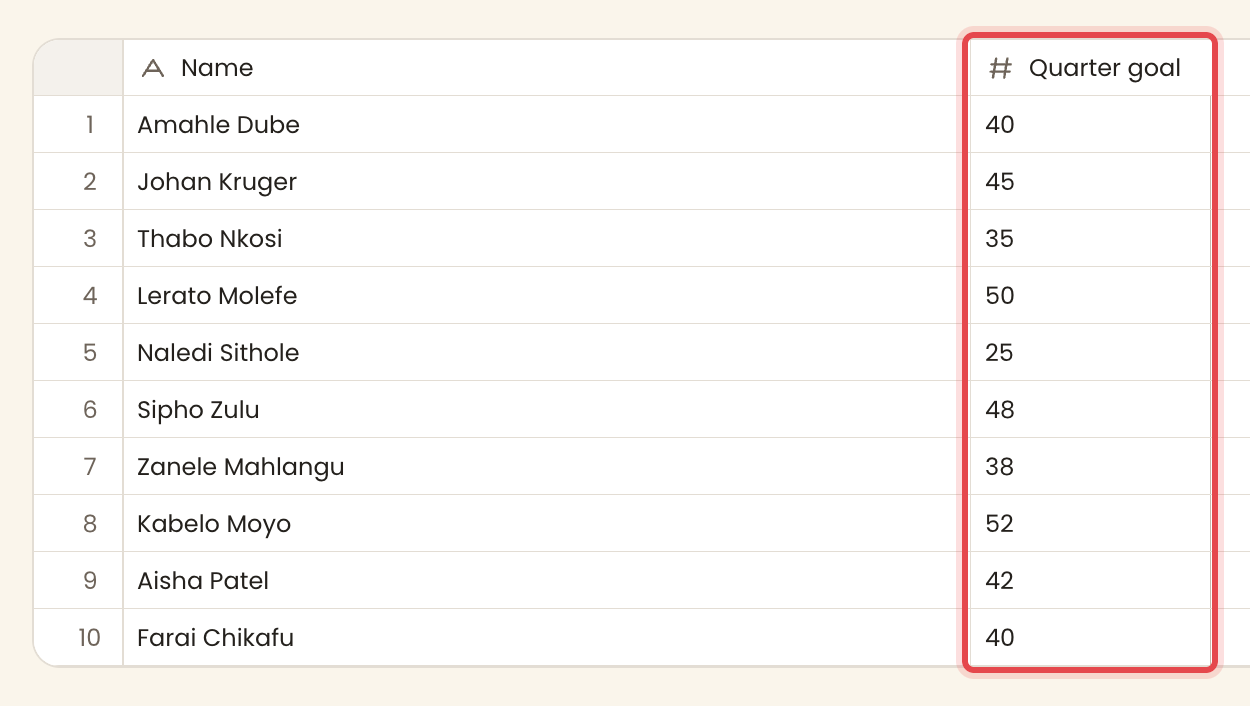
Filter operatorsisis notis more thanis less thanis betweenis empty
A rating
stores: a number (0 to max)A number drawn as a row of marks. Written out of a maximum (default 5) and clamped to 0..max at the door.
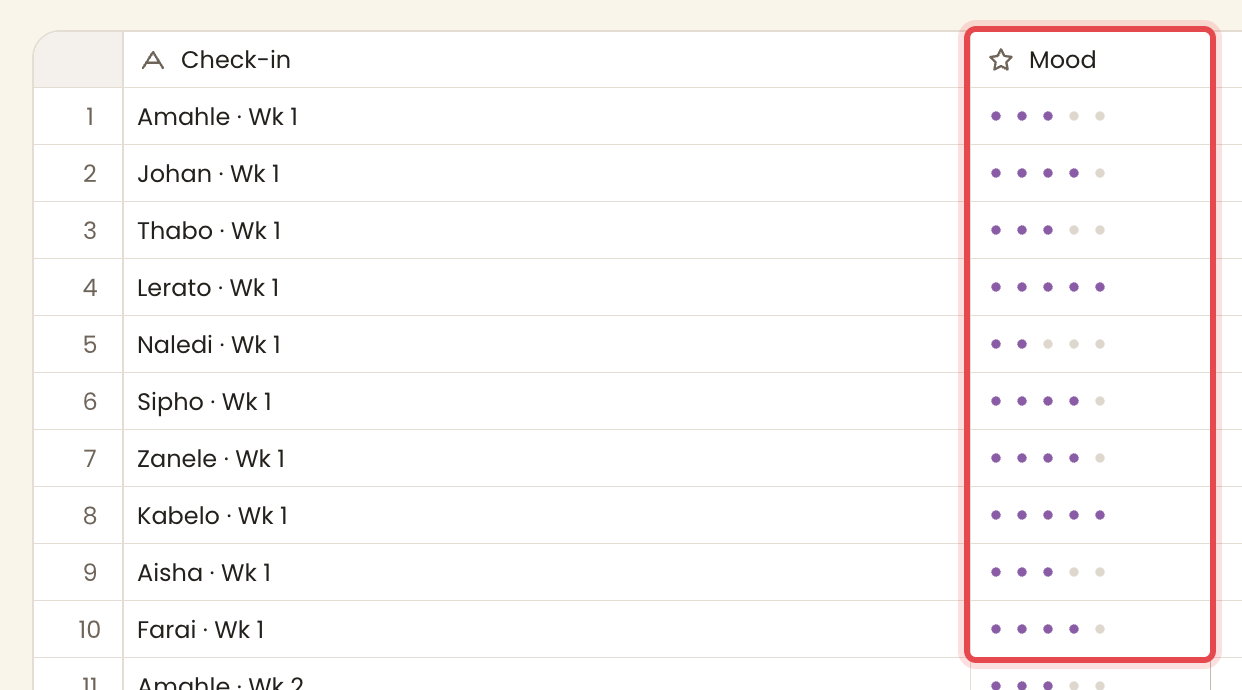
Out ofnumberdefault 5StyleDots | Stars | Thumbsdefault DotsFilter operatorsisis notis more thanis less thanis empty
Yes or no
stores: a booleanA toggle. yes / y / true / 1 / done / ✓ read as yes. no / n / false / 0 read as no. Anything else is refused.
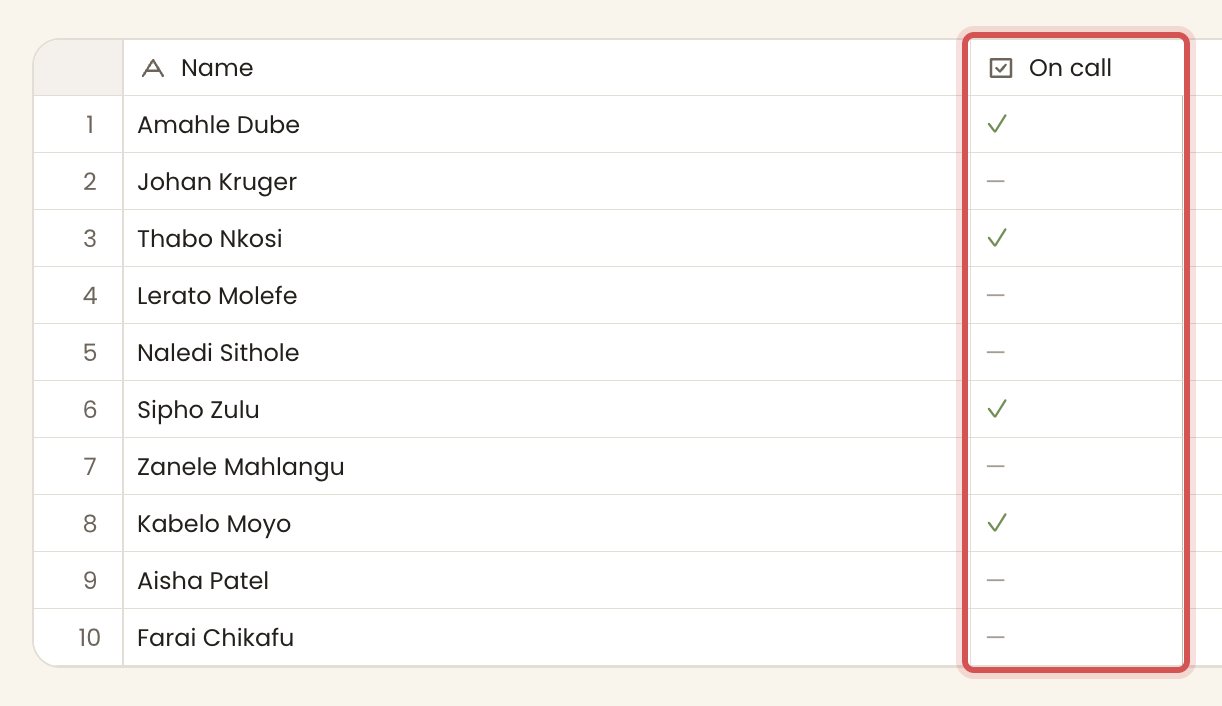
StyleYes or no | A tick when it is yesdefault Yes or noFilter operatoris
A yes/no is never empty. It is true or false, so it never falls into a blank group.
A date
stores: an ISO YYYY-MM-DD stringA date, stored as ISO text (which sorts correctly as text) and shown in the format you choose. An exact ISO value is kept verbatim so it never shifts a day across time zones. Other spellings are parsed and normalised, and an unparseable value is refused.
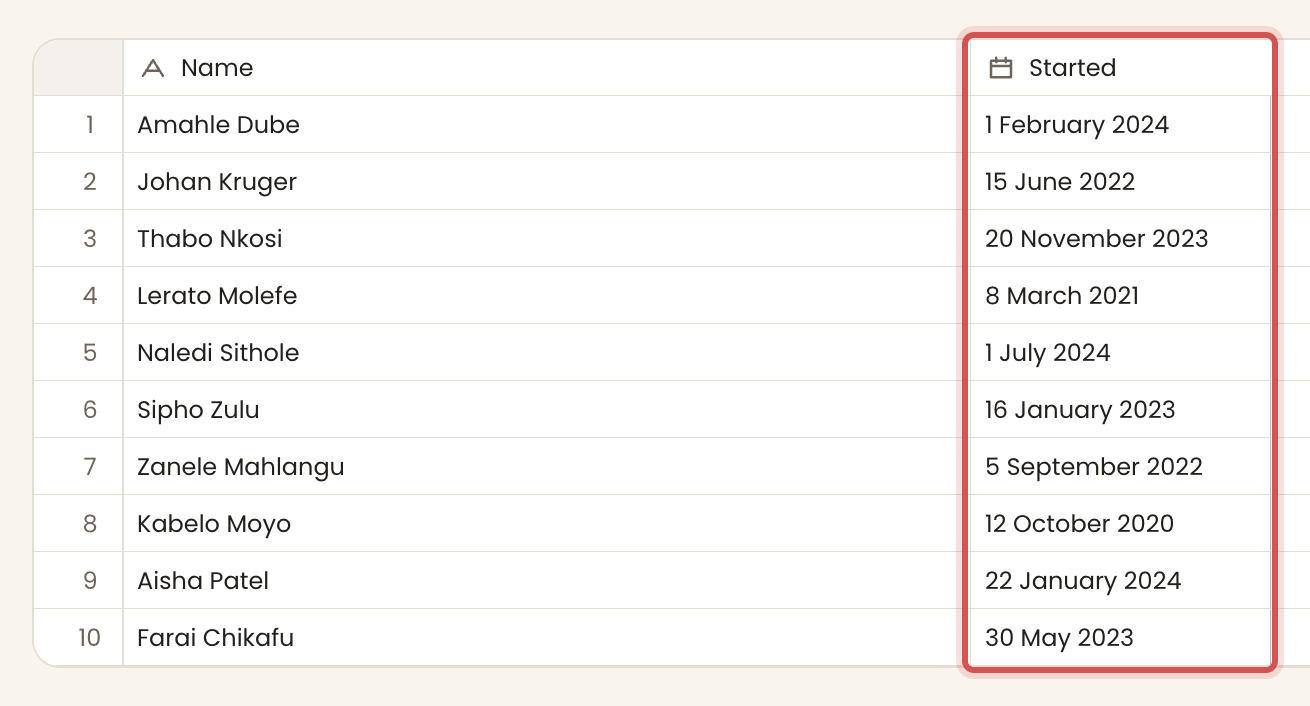
formatfriendly | short | iso | day_first | month_firstdefault friendly14 April 2026, short 14 Apr 2026, iso 2026-04-14, day_first 14/4/2026, month_first 4/14/2026.Filter operatorsisis beforeis afteris betweenis emptyis not empty
Person
stores: a person idA person named in the workspace. The cell stores the person's id and sorts by their name.
The picker narrows the list as you type. When nobody goes by exactly the name you typed, its foot reads Add as a new person with that name beside it. Choosing it adds the person and puts them in the cell at once. A name keeps the name rule, so it is up to 30 letters, numbers and spaces. Two people never share a name. Adding a person does not invite them or send them anything.
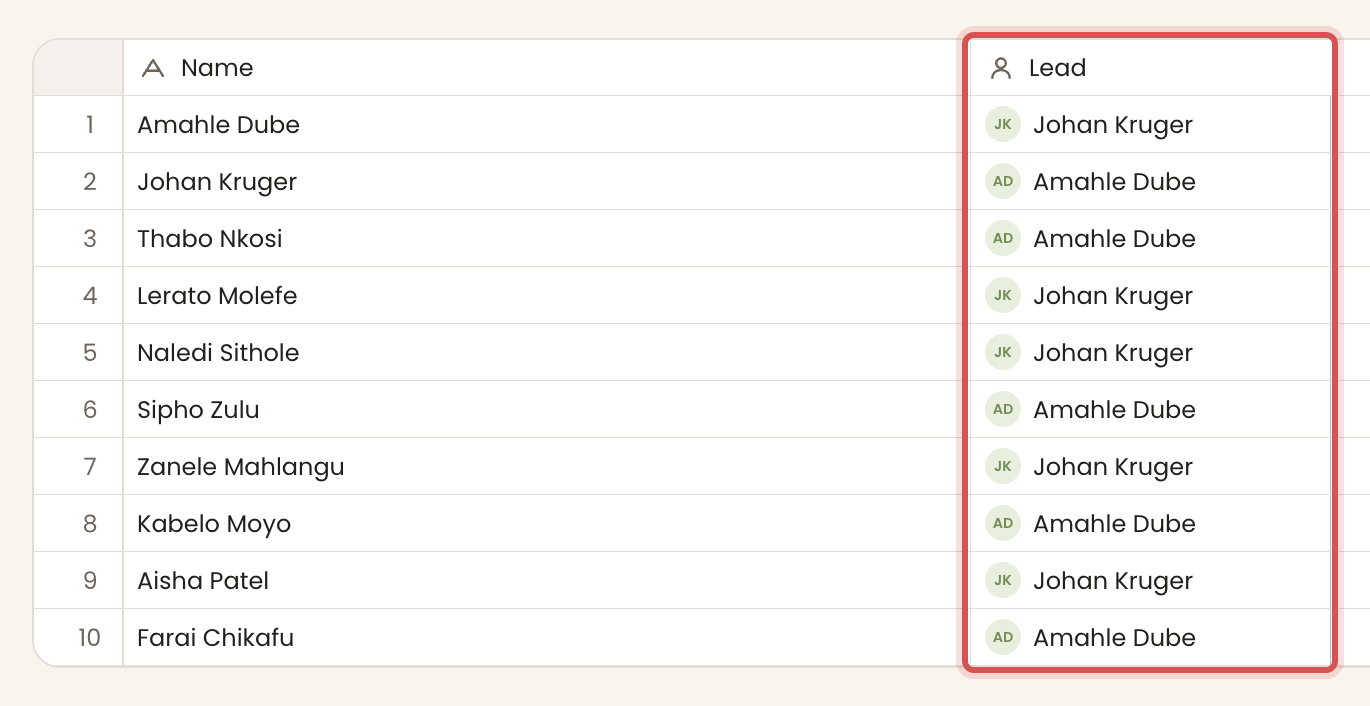
Filter operatorsisis notis any ofis empty
A link to another table
stores: one row idA pointer to a row in another table. A required setting names the table to link into. The type is offered only when the artifact holds another table. A link sorts by the linked row's title.
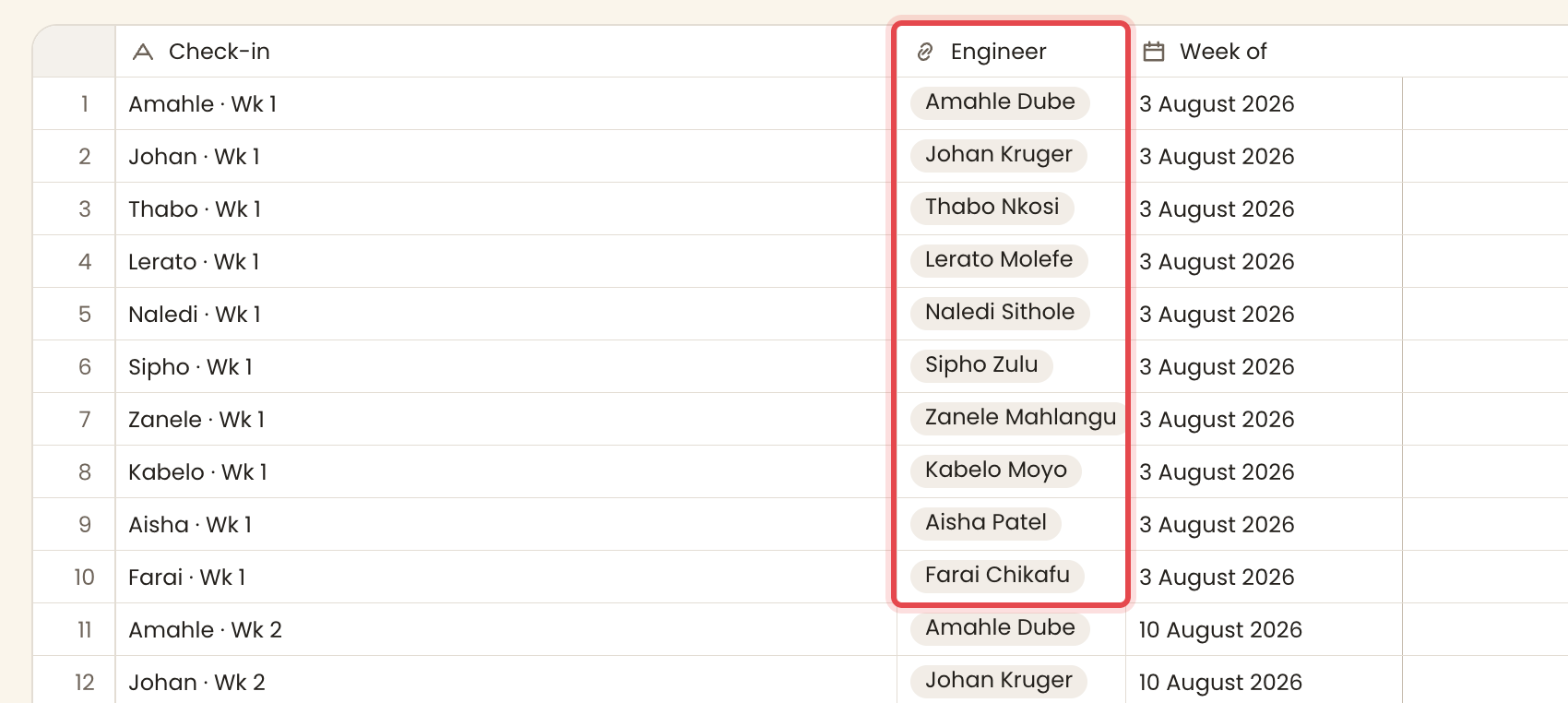
list_idtablerequiredFilter operatorsisis notis any ofis empty
Steps
stores: a level idA position on the workspace's shared ladder of named levels. A cell holds a level id. The level's order is its rung, which is what "sort by this" means. Levels belong to the workspace, not to the column.
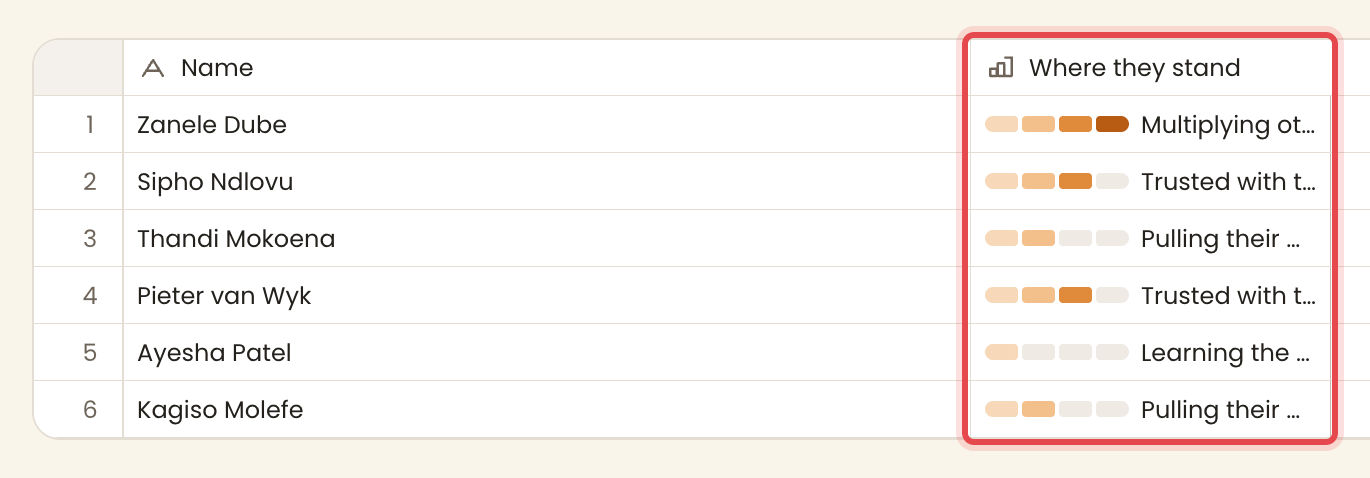
Filter operatorsisis at or aboveis belowis empty
The ladder is edited in the column's settings, under Levels. Every steps column of the workspace shows the same ladder there, and each change lands at once, apart from the card's Save.
Only owners change the steps. A member opens the same settings and sees the levels as they stand, with a line that says only owners change them.
- Type in Add a level and press Enter to add a level on top.
- Click a level's name to rename it in place. Enter keeps the new name and Escape leaves it.
- Drag a level to a new rung, or press Alt with the up or down arrow.
- The cross removes a level. A level that no cell holds goes at once. A level that cells hold asks first and says how many cells go blank.
A ladder keeps at least one level, and two levels on one ladder never share a name.
A file
stores: an array of filesAn attachment column.
Filter operatorsis emptyis not empty
Computed types
A rollup
reads back across a linkA value gathered from the rows that link into this row. It follows an inbound link and aggregates one of the linked table's columns.
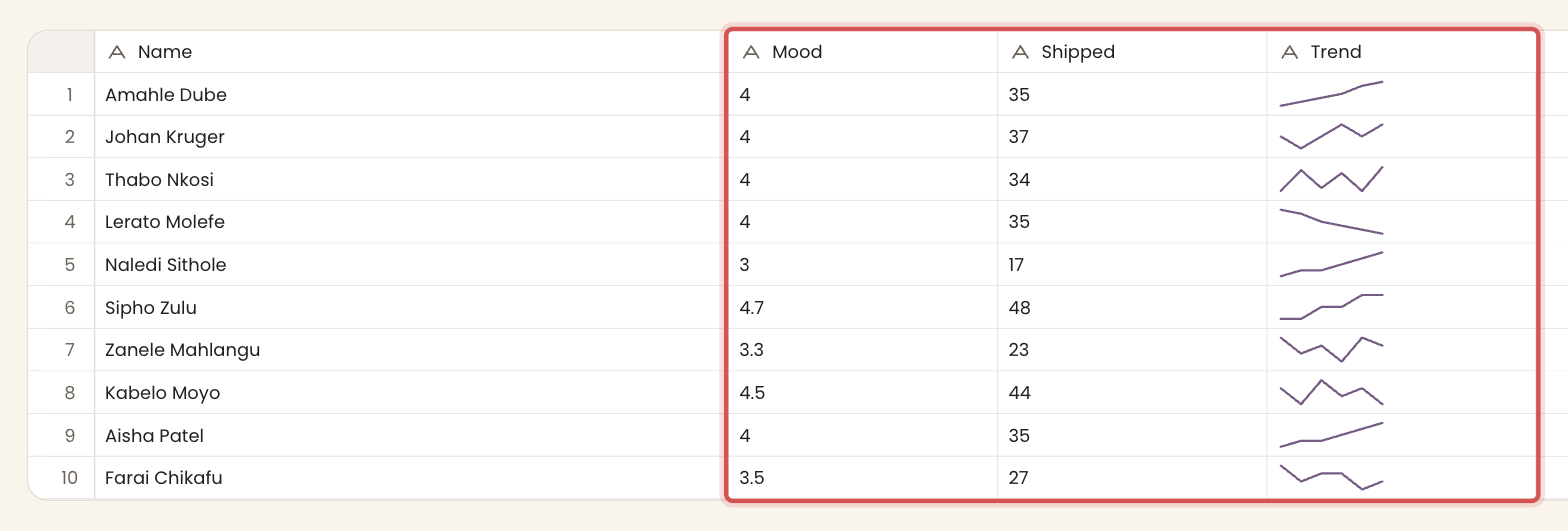
vialink columnrequiredfieldcolumnaggcount | sum | avg | min | max | latestdefault countlatest takes the most recently added row's value.Returnsa value the aggregate, or the row count.
Filter operatorsis emptyis not empty
A formula
stores: an expressionA value or a small chart worked out per row from this row's other columns, and from other tables by name. The expression is the whole field. See the full language in Formulas.
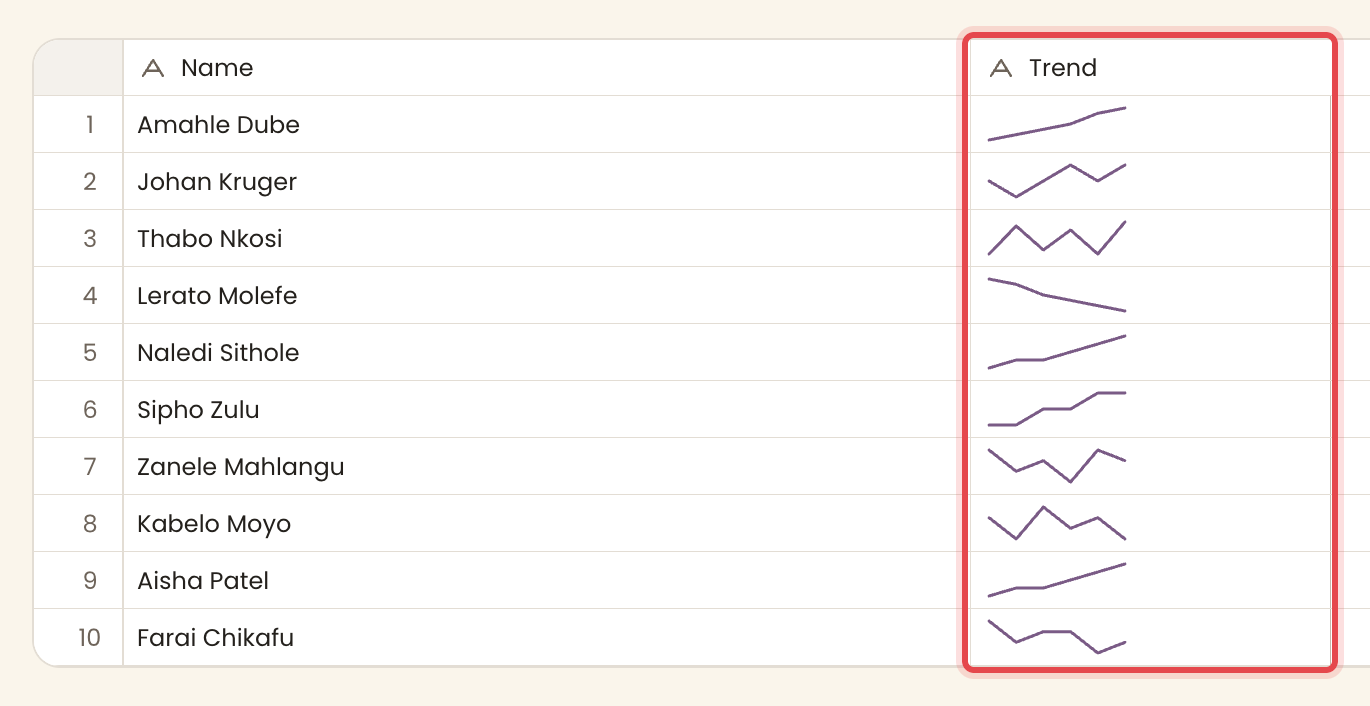
Returnsa value, a chart, or an error whichever the expression resolves to.
Filter operatorsis emptyis not empty
Options and colours
The options of A choice and More than one choice each have a label, a colour and a place in the menu order. The colour is a house colour name in rotation: green, gold, purple, blue, red. New options take the next colour in the rotation.
The anchor column
Every table has exactly one anchor column, the column that titles each row. A new table starts with a Text column named "Name" flagged as the anchor.
- It is identity, not position. A row is known by what its anchor says.
- It cannot be deleted ("rows never go nameless").
- It always stands first, whatever column order is asked for.
If you ask for a type that does not exist
When a workspace is drafted from a sentence, an unfamiliar type is turned into the nearest real one rather than dropped.
| You ask for | You get |
|---|---|
text, string, longtext, email, url, phone | Text |
currency, money, percent, integer, decimal | A number |
stars | A rating |
select, dropdown, status | A choice |
tags | More than one choice |
checkbox, boolean, bool | Yes or no |
datetime, time | A date |
user, assignee | A person |
relation, reference | A link to another table |
count | A rollup |
attachment | A file |
| anything else | Text |